
How to Find the Right Ink Cartridge for Your Printer
Published by Go Inks on 13th Sep 2026
Buying a replacement ink cartridge should be simple, but with so many printer models, cartridge numbers and different ink options available, it can be surprisingly easy to order the wrong one.
The good news is that you usually only need two pieces of information to find the right ink: your exact printer model and the cartridge number it uses.
Whether you have a Brother, Canon, Epson or HP printer, this guide explains how to identify the correct ink cartridge, what the different cartridge numbers mean, when to choose standard or XL cartridges, and what to check before placing your order.
1. Find Your Exact Printer Model
The first step is to identify the exact model of your printer.
The printer brand alone isn't enough. For example, knowing that you have a Canon, Epson, Brother or HP printer doesn't tell you which cartridge you need because each manufacturer has many different printer ranges using different cartridges.
Your printer model is usually printed:
-
On the front or top of the printer
-
Near the printer's control panel
-
Inside or near the cartridge access area
-
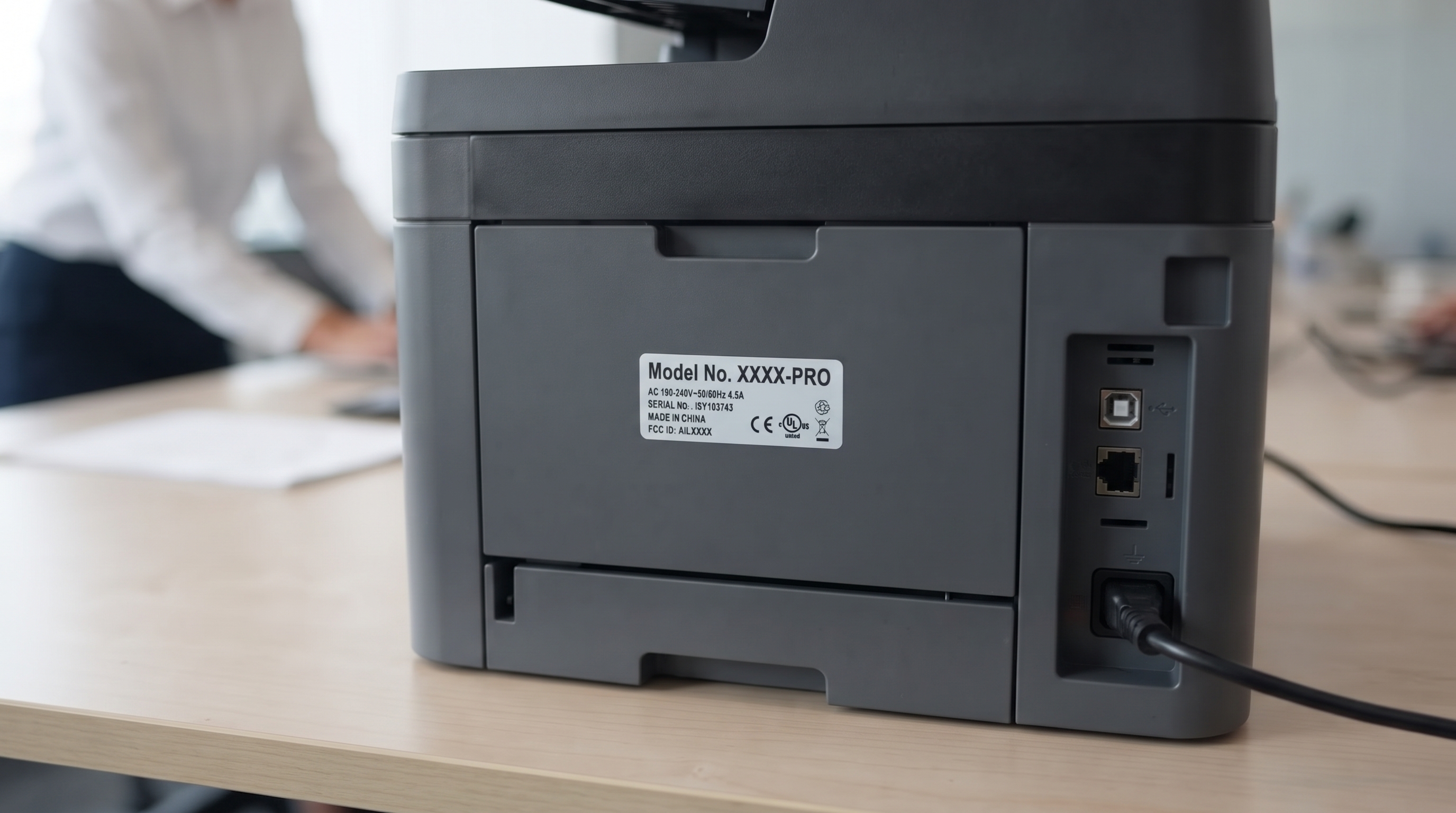
On a label on the back or underside of the printer
-
In the printer's settings or information menu
-
On the original printer box or paperwork
Look for the complete model number rather than just the printer family or brand.
For example, a printer might be identified as a Canon PIXMA MG5750, Epson Expression Home XP-215, Brother MFC-J5330DW or HP OfficeJet Pro 9020.
The exact model is important because printers within the same manufacturer's range can use completely different cartridges.
2. Check the Number on Your Existing Ink Cartridge
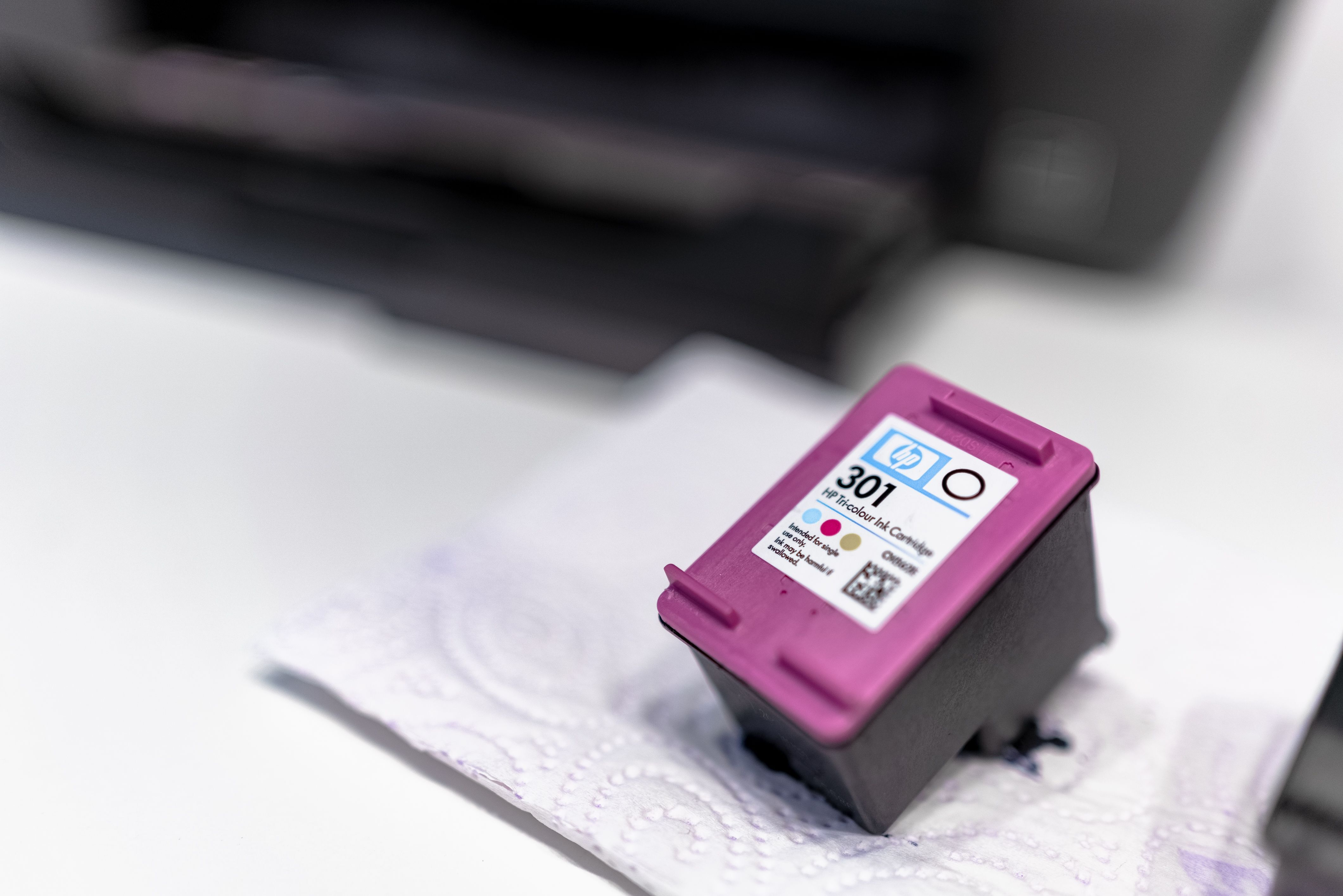
If you still have the old cartridge, checking its number can be one of the quickest ways to identify your replacement.
Remove the cartridge according to your printer manufacturer's instructions and look for a number or code printed on the cartridge or its label.
You might see cartridge references such as:
-
Canon PGI-550
-
Canon CLI-551
-
Epson 603
-
Epson 603XL
-
Brother LC3217
-
Brother LC421
-
HP 364
-
HP 364XL
The cartridge reference is often more useful than the printer brand when searching for a replacement.
However, don't rely on the cartridge number alone if you are unsure. It is best to confirm that the cartridge number is listed as compatible with your exact printer model before ordering.
3. Search by Printer Model or Cartridge Number
Once you have your printer model or cartridge number, you can use it to find the appropriate ink.
Many printer manufacturers provide their own ink-finding tools based on either the printer model or the cartridge reference. Epson, for example, allows customers to search for ink using a printer model or ink code, while Brother allows users to search for supplies using either the supply reference or device model.
The same approach works when buying compatible cartridges.
At Go Inks, you can search for your printer model or ink cartridge number, or browse the available cartridges by printer brand and ink series.
The important thing is to match the complete printer model with the specific cartridge reference rather than choosing a cartridge based only on the manufacturer's name.
4. Make Sure the Cartridge Is Compatible With Your Printer
Finding a cartridge number is only part of the process. You also need to check that the cartridge is compatible with your particular printer.
A single cartridge family can sometimes be used in several different printer models. For example, Canon's own product pages list multiple compatible PIXMA models for individual cartridges, while the cartridge product pages allow customers to check compatibility using their printer model.
This is why it is worth checking the compatibility list before ordering.
When looking at a cartridge product, check for:
Printer brand:
Make sure the cartridge is intended for your printer manufacturer.
Exact printer model:
Look for your complete model number, not just the printer family.
Cartridge number:
Make sure the cartridge reference matches the one required by your printer.
Capacity:
Check whether you are buying a standard or higher-capacity version.
Taking a few seconds to check these details can save you the inconvenience of receiving a cartridge that doesn't fit your printer.
5. What Do Ink Cartridge Numbers Mean?
Ink cartridge numbers are simply manufacturer references used to identify particular cartridge families and variants.
The format differs between brands.
For example, Canon uses references such as PGI-550 and CLI-551, while Epson uses numbers such as 603 and 603XL. Brother uses references such as LC3217 and LC421, while HP has cartridge families including 364 and 364XL.
The letters and numbers can sometimes indicate different things, including the cartridge family, colour or capacity.
For example, Canon's PGI and CLI references can identify different types of cartridges used within the same printer system. This means you shouldn't assume that two cartridges with similar-looking numbers are interchangeable.
Always use the exact cartridge reference and compatibility information for your printer.
6. Standard vs XL Ink Cartridges: Which Should You Buy?
One of the most common choices when replacing ink is whether to buy a standard cartridge or an XL/high-capacity version.
An XL cartridge generally contains more ink and is designed to print more pages before needing replacement.
For example, a printer may use a standard cartridge and an XL version from the same cartridge family.
Standard cartridges
Standard-capacity cartridges can make sense if:
-
You print relatively infrequently
-
You don't want to spend as much in one purchase
-
You don't need a large amount of ink at once
XL cartridges
XL or high-capacity cartridges can make sense if:
-
You print regularly
-
You use your printer frequently for documents
-
You want to replace cartridges less often
-
The higher-capacity cartridge offers a better cost per page
The cheapest cartridge to buy initially isn't necessarily the cheapest option for reguar printing, so consider both the purchase price and how many pages the cartridge is designed to print.
7. Do You Need Black and Colour Cartridges?
This depends on your printer.
Many inkjet printers use separate cartridges for black and colour printing. Some use individual cartridges for cyan, magenta and yellow, while others use a combined colour cartridge.
If your printer uses separate cartridges, each cartridge has its own cartridge reference.
For example, a Canon PIXMA printer may use a black cartridge alongside separate colour cartridges, while some HP printers use separate black and tri-colour cartridges.
Don't assume that replacing one cartridge means you need to replace the complete set. Check which cartridge or cartridges your printer is actually reporting as empty or low.
At the same time, if you regularly use both black and colour printing, buying a multipack can sometimes be a convenient and economical way to keep the full set available.
8. What About Compatible Ink Cartridges?
You don't necessarily have to buy cartridges manufactured by the printer brand.
Compatible ink cartridges are replacement cartridges designed for use with specific printer models. They are available for many popular Brother, Canon, Epson and HP printers and can provide a lower-cost alternative to original manufacturer cartridges.
The most important thing is still compatibility.
A compatible cartridge should be selected according to the same basic process:
-
Identify your printer model.
-
Identify the required cartridge number.
-
Check the cartridge's compatibility list.
-
Choose the required capacity and colour.
-
Check whether you want a single cartridge or multipack.
Go Inks specialises in compatible printer consumables and provides compatibility information on its product pages, helping customers select replacement cartridges for supported printers.
9. Don't Confuse Ink Cartridges With Ink Bottles
If you have a refillable ink tank printer, you may not use conventional ink cartridges at all.
Printers in refillable tank systems use bottles of ink that are poured into the printer's built-in tanks.
For these printers, you need to identify the correct ink bottle reference rather than looking for a conventional cartridge.
Go Inks stocks compatible ink bottles for selected Canon, Epson and HP refillable ink tank printers. Always check the bottle number and compatible printer models before ordering.
If you are unsure whether your printer uses cartridges or bottles, check your printer model and manufacturer's documentation before buying.
10. Be Careful With Similar Cartridge Numbers
Cartridge references can look very similar, so avoid guessing.
For example, a printer may use 603 cartridges while another printer uses 603XL, or one printer may use a Canon cartridge family that looks similar to another Canon range.
Even within the same brand, similar-looking numbers aren't necessarily interchangeable.
Canon's current UK store, for example, lists different cartridge families with their own specific compatibility lists.
The safest approach is always:
Printer model → cartridge number → compatibility check
If all three match, you can order with much greater confidence.
11. What If You Can't Find Your Printer Model?
If you can't see the model number, don't guess.
Try the following:
Check the printer itself
Look around the front, top, back and underside of the printer. The model number is often printed on a label or next to the manufacturer's logo.
Check the printer settings
Many printers display their full model name in the settings, information or device menu.
Check your original paperwork
The model may appear on the original receipt, invoice, manual or printer packaging.
Check the old cartridge
If you still have the previous cartridge, its reference can provide a useful starting point.
Search using the complete model
Once you find the model, search for that exact model rather than entering only the manufacturer name.
12. A Simple Example
Imagine you have an Epson printer and want to replace the ink.
You check the printer and find the full model number.
You then check the existing cartridge and see 603XL printed on the cartridge.
Instead of simply searching for "Epson ink", you can search for Epson 603XL and then confirm that your exact printer model appears in the compatibility information.
This is much safer than choosing an Epson cartridge based only on the fact that it is made for an Epson printer.
The same principle applies to Brother, Canon and HP printers.
13. What to Check Before Ordering
Before clicking the buy button, take a final moment to check these details:
1. Printer brand
Is it Brother, Canon, Epson, HP or another manufacturer?
2. Exact printer model
Have you identified the complete model number?
3. Cartridge number
Does the cartridge reference match the one required by your printer?
4. Compatibility
Is your exact printer model listed as compatible?
5. Capacity
Are you buying standard, XL or another high-capacity version?
6. Colour
Are you ordering black, cyan, magenta, yellow, colour or a complete set as required?
7. Cartridge type
Does your printer use conventional ink cartridges rather than refillable ink bottles?
8. Single or multipack
Would individual cartridges or a multipack better suit how you print?
Checking these details takes less time than dealing with an incorrect order later.
How to Find the Right Ink Cartridge: Quick Checklist
If you just want the short version, follow these steps:
Step 1: Find your printer's exact model number.
Step 2: Check the cartridge currently installed, if possible.
Step 3: Find the cartridge number printed on it.
Step 4: Search for that cartridge number or your printer model.
Step 5: Check the compatibility list for your exact printer.
Step 6: Decide between standard and XL/high-capacity options.
Step 7: Choose the required colour or multipack.
Step 8: Check the final product details before ordering.
Following this process should make it much easier to find the correct replacement ink without relying on guesswork.
Find the Right Ink for Your Printer
Finding replacement ink doesn't need to be complicated. The most important thing is to identify your exact printer model and the cartridge number it uses, then confirm that the replacement cartridge is compatible.
At Go Inks, you can browse compatible ink cartridges by printer brand or search for your printer model or cartridge number. We supply compatible cartridges for many Brother, Canon, Epson and HP printers, with individual cartridges and multipacks available across the range.
If you're unsure which cartridge you need, always check the compatibility information before ordering rather than relying on the printer brand alone.
Frequently Asked Questions
How do I find the right ink cartridge for my printer?
Start by finding your printer's exact model number. You can then check the cartridge number on your existing cartridge or use the printer model to identify the correct ink. Always confirm that the cartridge is listed as compatible with your exact printer model before ordering.
Where can I find my printer model number?
The printer model is usually printed on the front, top, back or underside of the printer. You may also find it in the printer's settings menu, on the original packaging or in your printer documentation.
Can I use my old ink cartridge to find the replacement?
Yes. If you still have the old cartridge, check its label for the cartridge reference. This can be a quick way to identify the cartridge family, but you should still check that the replacement is compatible with your exact printer model.
Does the printer brand tell me which ink I need?
No. Knowing that you have a Brother, Canon, Epson or HP printer is not enough. Each manufacturer produces many printer models using different cartridge families, so you need to identify the exact printer model or cartridge number.
What's the difference between standard and XL ink cartridges?
XL cartridges generally contain more ink and are designed to print more pages than standard-capacity versions. They can be useful for people who print regularly, although the best option depends on the cartridge price, page yield and how much you print.
Can I use compatible ink cartridges in my printer?
Compatible cartridges are designed for specific printer models and can provide a lower-cost alternative to original manufacturer cartridges. Always check the compatible printer list before ordering to make sure the cartridge is suitable for your machine.
Do all printers use ink cartridges?
No. Some printers use refillable ink bottles rather than conventional cartridges, while laser printers use toner. Check your exact printer model before ordering any consumable.
Should I buy individual cartridges or a multipack?
It depends on your printer and how much you print. Individual cartridges can be useful when you only need to replace one colour, while multipacks can be convenient when several cartridges need replacing or when you want to keep spares available.
What should I do if I still can't find the right cartridge?
Don't guess. Check your printer model, look at the existing cartridge number and compare the compatibility information for the replacement. If you are still unsure, contact the retailer before ordering so you can confirm the correct cartridge.